ISO-New England Plotly Dash App
I recently participated in a community challenge focused on analyzing and visualizing energy data from the New England power grid. By leveraging Plotly Dash, I developed an interactive web application that provides insights into how electricity consumption patterns vary over time and across different regions.
Background and Motivation
This project was an opportunity to demonstrate a quick-turnaround data visualization application for a community challenge. Plotly dash is my favorite python-based interactive visualization framework, and I’m always happy to have a convenient excuse to mess around with it!
The plotly community threw down the gauntlet for this challenge in FigureFriday 2024 week 49. Read more about the challenge on the weekly challenge post.
Data and Methodology
Data for this weekly challenge consists of hourly grid megawatt demand for the ISO-New England grid provided by the U.S. Energy Information Administration1.
Building the Dash Application
Plotly Dash Implementation
I chose to build a simple Plotly Dash application for this community challenge. Dash is an interactive visualization framework that combines plotly, my go-to interactive visualization library, with a nicely abstracted flask backend.
Key Features
The real impetus for building this dash application came from the realization that the ISO-New England system has a non-standard geographic coverage area, and wondering if I could create a functional choropleth-filtering callback. The answer was a very satisfying yes!
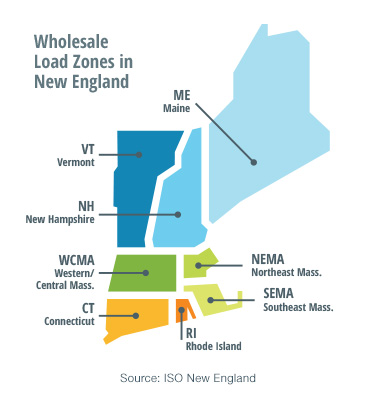
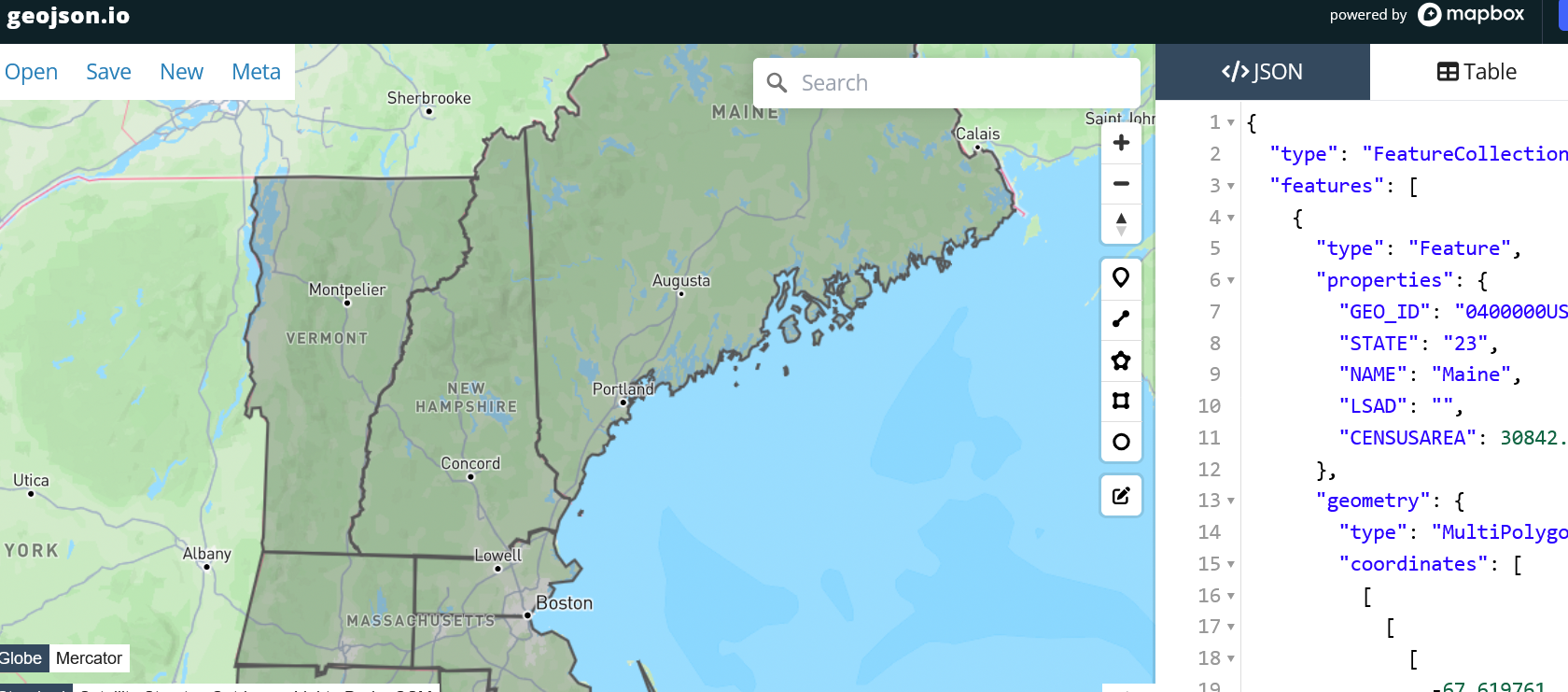
Plotly supports custom geo-jsons in map-type figures. I used geojson.io, a helpful tool for constructing geo-jsons without having to whip out QGIS, to approximately trace the regions corresponding to grid-zones in the dataset, and wrote a callback function to filter other visualizations on the page on click.
The dashboard includes two timeseries plots, which show the fluctuations in grid load over time in slightly different ways. If I were to revisit this project, I might replace the simple timeseries chart with one that slices the data in a different way; maybe a histogram/kde of max-daily load distributions throughout the filtered time period.
Containerization and Deployment
This project also gave me an opportunity to try out hosting a small custom project on Huggingface spaces via a custom docker-space. HF Spaces are an underrated hosting solution for small-scale applications and AI-app prototypes. I have utilized spaces on the job for other applications, but this project was a somewhat different use-case in that it was a from “scratch” custom web-app. I was pleasantly surprised at how simple it was to get the container up and running once I had a working local container.
-
ISONE Hourly Actual Demand (megawatt) by Region, 2024, accessed December, 2024 ↩